 Charge Window
Charge just before you leave
For Hyundai, Kia and Genesis electric cars. Charge Window tells you the latest safe time to start charging, so the car reaches its target in the morning instead of sitting full all night.
Coming soon to the App Store
Why charge late?
Lithium-ion batteries age faster when they sit at a high charge. Plug in at 9 pm and the car can be full by 1 am — then wait at 90 or 100% for six hours. Starting later gets you the same charge with far less time spent full.
The car's built-in scheduler starts charging when its off-peak window opens and stops at your target. It doesn't work out when to start so that charging ends right as you leave. Charge Window does that sum.
How it works
Tell it three things
The car's current charge, your target and when you leave.Read the start time
It accounts for your wallbox, the car's onboard charger, the slow last few percent above 90%, battery age, and a safety margin you choose.Enter it on the car
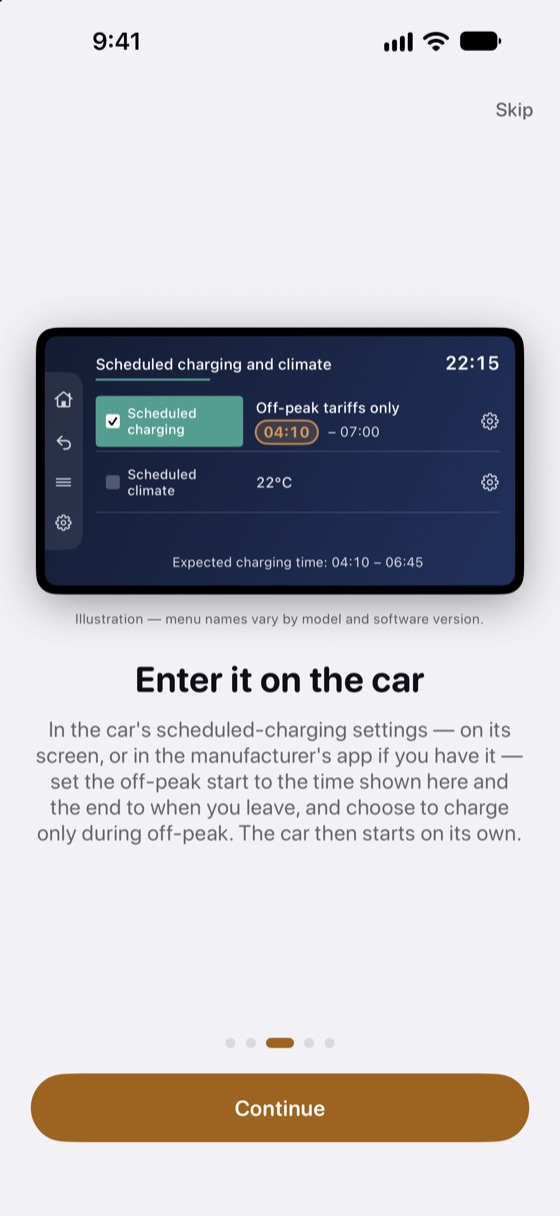
In the car's scheduled-charging settings — on its screen, or in the manufacturer's app if you have it — set the off-peak start to that time and the end to when you leave, and choose to charge only during off-peak. The car starts on its own.Match the car's limits
Set the car's charging limit to your target, and keep the AC charging current in the app the same as the car's (100%, 90% or 60%).
Just ask Siri AI
Coming with iOS 27.3
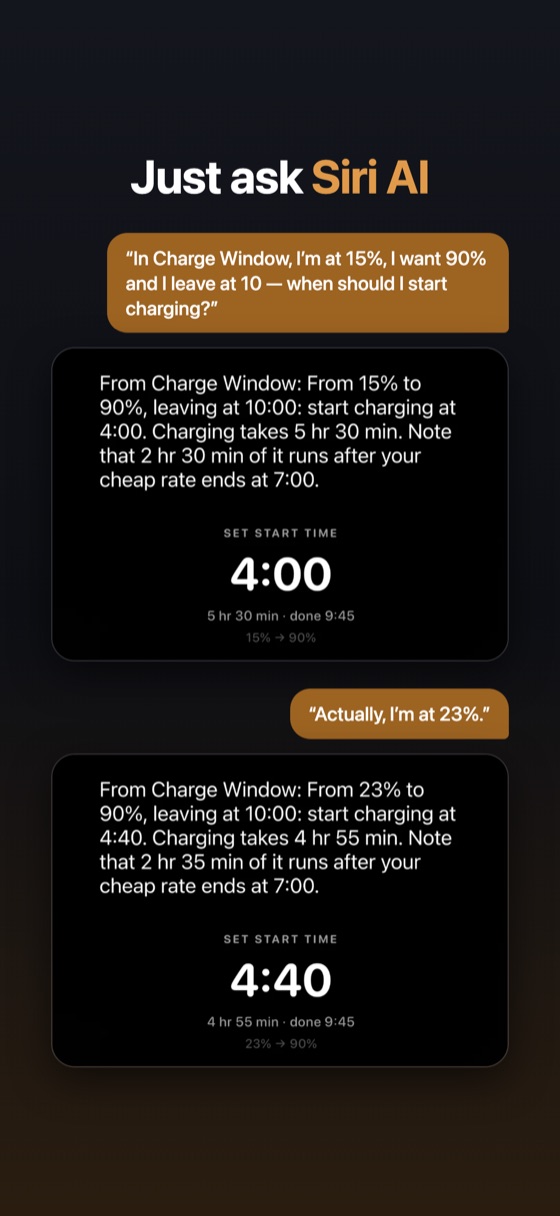
In an update for iOS 27.3, ask Siri AI in your own words, with whatever numbers you have:
“In Charge Window, I'm at 15%, I want 90% and I leave at 10 — when should I start charging?”
Or just “In Charge Window, when should I start charging?” to use the values already in the app. Then correct it — “Actually, I'm at 23%” — and Siri works out the new start time, the same one the app shows.
Which cars
Charge Window is built around the scheduled-charging system in Hyundai, Kia and Genesis electric cars — the E-GMP models such as the IONIQ 5, IONIQ 6, IONIQ 9, EV6, EV9 and GV60, and others that use the same off-peak menu, such as the EV3, Kona Electric and Niro EV. It includes battery and onboard-charger data for 33 of them.
It's especially useful where these cars have no remote charging app — not all countries have it, and without it the car's own screen is the only way to schedule a charge — but it helps with the app too: the connected apps edit the same off-peak window, and they don't calculate the start time either.
Other brands schedule charging differently. Many already let you set a departure time and work out the start themselves, so they don't need this. If yours only accepts a start time, the Custom setting will still calculate one, but the steps on the car will differ.
Also
Live Activity — follow the charge on the Lock Screen and in the Dynamic Island.
CarPlay — see the start time on the car's screen and adjust the charge level and departure from the driver's seat.
Apple Watch — set the charge level with the Digital Crown and see the start time at a glance.
Siri — “When should I start charging in Charge Window?”
14 languages — English, Arabic, Chinese (Simplified), Dutch, French, German, Hebrew, Hindi, Italian, Japanese, Korean, Norwegian, Portuguese (Brazil) and Spanish.
No account, no tracking, no data leaves your device.